Back to Articles
Web Development
26 September 2026

Deploying Next.js 16 via Static HTML Export to Shared Hosting

Learn how to generate pure static HTML/CSS/JS artifacts in Next.js 16 and host them on shared cPanel hosting without a Node.js server.

Deploying Next.js 16 via Static HTML Export to Shared Hosting

Deploying Next.js 16 via Static HTML Export to Shared Hosting

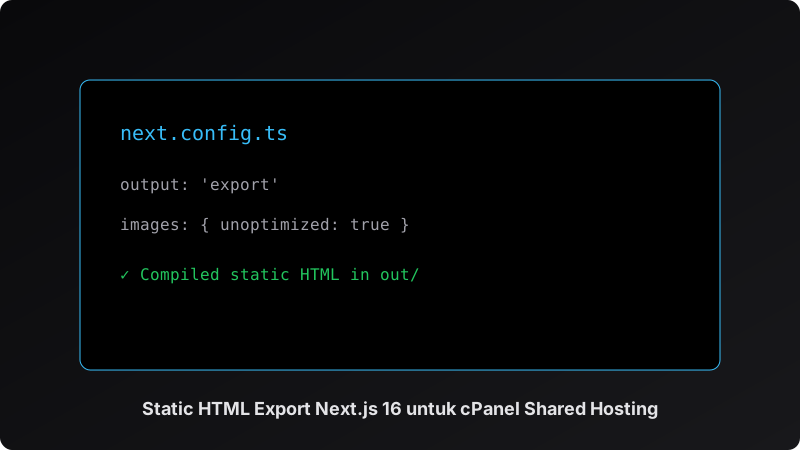
While Next.js is renowned for Server Components and SSR, its Static HTML Export feature (output: 'export') allows developers to produce lightning-fast static assets that run on standard Apache or Nginx shared web servers.

Configuration in next.config.ts

import type { NextConfig } from "next";
 
const nextConfig: NextConfig = {
  output: 'export',
  images: {
    unoptimized: true,
  },
};
 
export default nextConfig;

Key Advantages

  • Sub-millisecond TTFB: Directly cached and served by web servers.
  • Zero Node.js Server Overhead: No memory leaks, PM2 restarts, or daemon maintenance.
  • Ultra Secure: Attack surface is virtually non-existent for the public static tier.
Next.js
TypeScript

Related Articles

A comprehensive guide to optimizing relational schemas, composite indexing, and implementing multi-tier Redis caching for high-throughput applications.

A hands-on guide to building production-ready RESTful APIs in Laravel 13 utilizing Sanctum, Eloquent Resources, and Spatie Query Builder.

Implementing zero-downtime continuous integration and continuous deployment (CI/CD) pipelines with GitHub Actions and multi-stage Docker builds.